Automated U.S. watershed modeling
Automated SWAT+ model generation for U.S. watersheds.
Pick a USGS gage, HUC12 outlet, or HUC8 basin, then generate downloadable SWAT+ model packages from one national workflow.
Built on NHDPlus-HR and public national datasets to reduce manual SWAT+ setup into a guided web workflow.
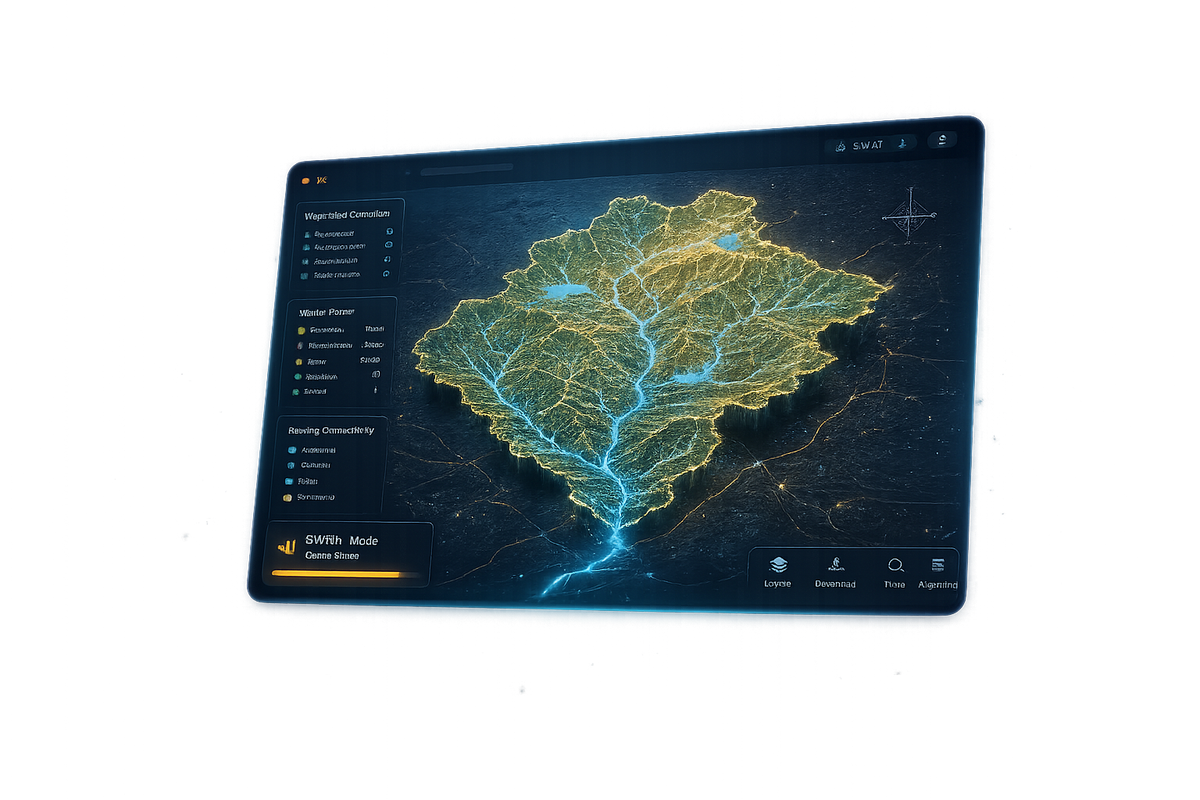
Select watershed → Review datasets → Generate SWAT+ project → Download package
Download example SWAT+ projects and inspect the generated model structure before using the platform.
What SWATGenX is built for
The difficult part of watershed modeling is not getting a model to run—it is producing detailed, consistent, high-resolution setups that stay defensible when you move from one basin to the next. SWATGenX targets that problem directly.
It is the only platform we know of that uses the National Hydrography Dataset Plus High Resolution (NHDPlus-HR) end to end to generate SWAT+ watershed packages across the conterminous United States—from small outlet watersheds through full HUC8 regional basins. Each package is built on explicit stream networks, subbasins, channels, HRUs, lakes, weather, land cover, soils, crop, and water-use inputs assembled through a documented workflow you can review and calibrate in the cloud. Together, that yields a scalable, high-resolution, repeatable foundation for applied watershed modeling.
What SWATGenX delivers
SWATGenX assembles SWAT+ packages with detailed surface-water structure and national inputs—from local outlets to full HUC8 basins. See the Platform overview for a broader tour.
- Downloadable SWAT+ watershed model packages — generated for USGS gages, HUC12 outlet watersheds, and HUC8 basins, with subbasins, channels, HRUs, weather, land use, soils, and management inputs assembled for review in SWAT+ Editor.
- Automated model input assembly — hydrography, terrain, weather, land cover, soils, crop rotations, and water-use inputs prepared from consistent national datasets.
- Scalable watershed model generation — generate detailed SWAT+ models for USGS gages, HUC12 outlet watersheds, and full HUC8 basins using the same high-resolution national workflow.
- Supporting outputs — PDF reports, screening layers, exposure summaries, tables, and hydrologic context are available to document the selected basin, but the main product is the watershed model package.
SWATGenX can generate models for 2,246 HUC8 basins, 87,387 catalog HUC12 outlets, and more than 16,000 USGS streamgages across the conterminous United States.
Example SWAT+ models
Review completed SWAT+ packages before generating your own. The public catalog shows watershed size, stream and channel complexity, delineation source, generation time, and download options where available.
These examples show how watershed size and high-resolution hydrography affect stream density, model structure, runtime, and package complexity. Open the example SWAT+ models page to browse the full public catalog.
How model generation works
For how USGS WBD and NHDPlus HR levels nest in our CONUS prep—and what each unit means—see the table on How it works.
1. Select a watershed — Choose a USGS gage, HUC12 outlet, or HUC8 basin in the Watershed Explorer. Review the mapped boundary, stream network, and basic watershed characteristics before submitting a model job.
2. Generate the SWAT+ package — SWATGenX assembles hydrography, subbasins, HRUs, weather, land use, soils, crop data, and optional water-use inputs into a SWAT+ project structure.
3. Download and continue — When the job is complete, download the model package and continue in SWAT+ Editor, your calibration workflow, or your own post-processing tools.
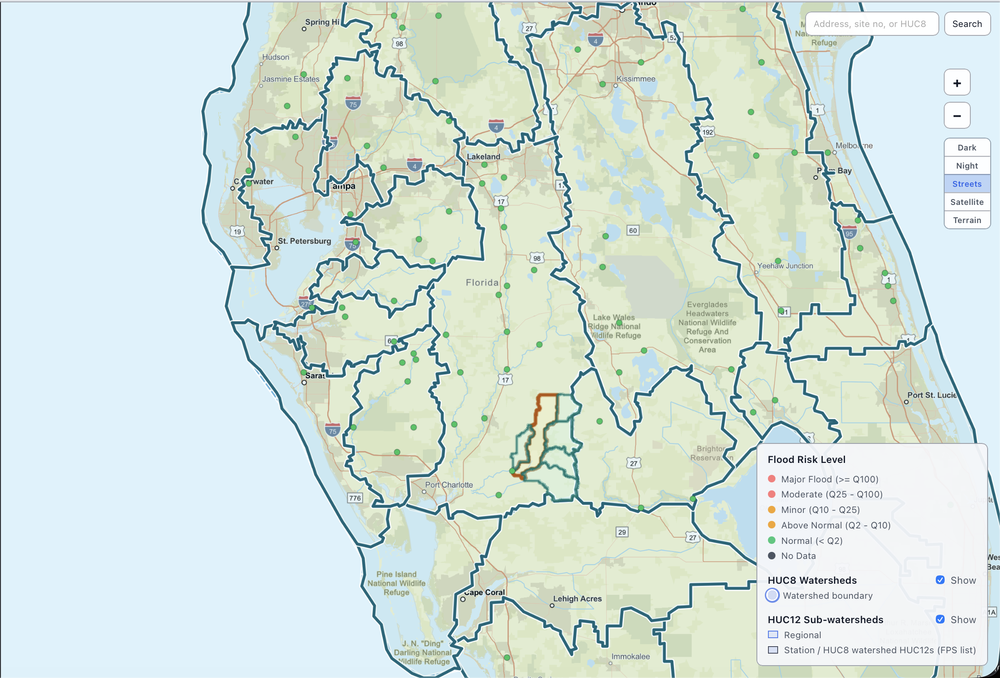
Watershed selection for model jobs — use the arrows or dots to change slides; the deck advances automatically unless you pause on hover. Click the image for a full-size view. The same workflow supports model generation for USGS gages, HUC12 outlet watersheds, and HUC8 basins.
For a step-by-step walkthrough, see How it works.
Data foundation for every SWAT+ package
High-quality watershed models depend on how well the stream network, catchments, and routing structure are represented. SWATGenX uses NHDPlus-HR as the national surface-water backbone, allowing generated SWAT+ packages to preserve detailed channels-lakes connectivity and watersheds structure.
SWAT+ provides the process-based model structure. Together, NHDPlus-HR and SWAT+ allow SWATGenX to generate scalable watershed models from local outlet basins to regional HUC8 watersheds.
Each model package is built from the same data pipeline, so climate, land cover, soils, crop, terrain, and water-use inputs are prepared consistently across watersheds.
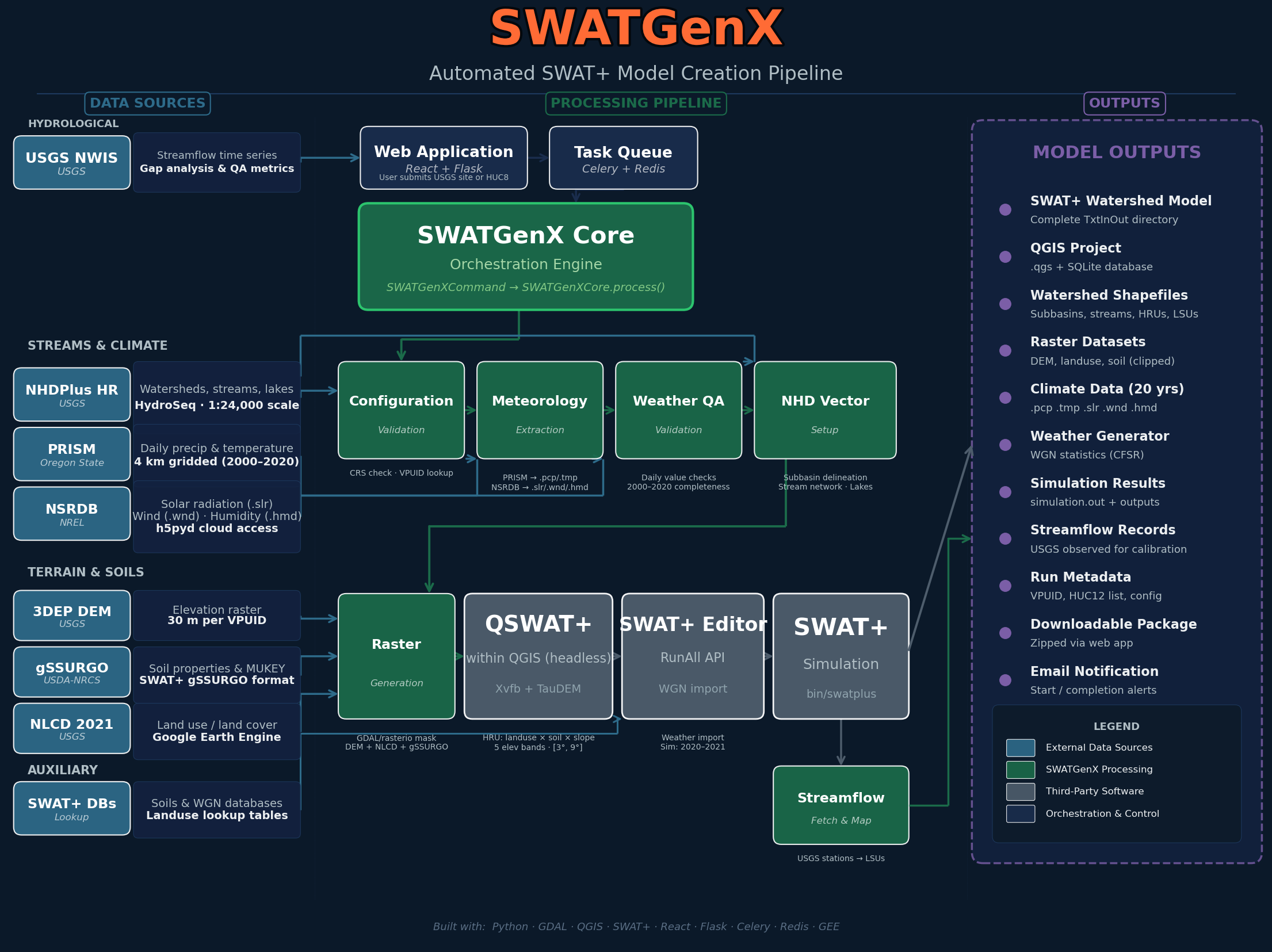
Data assembly through SWAT+ package output — click for full size.
Source details, spatial resolution, and processing notes are documented in Data & methodology.
- USGS — streamflow records for watershed context and calibration support
- NHDPlus-HR — stream network, catchments, routing, and watershed delineation framework
- PRISM & NSRDB — weather and radiation inputs, including precipitation, temperature, solar radiation, humidity, and wind
- NLCD — land cover inputs for watershed characterization and model setup
- gSSURGO — soil physical properties used in SWAT+ model preparation
- NASS QuickStats — crop rotation and agricultural management inputs
- USGS Water Use — irrigation and water-use inputs where available
Supporting reports and screening outputs
SWATGenX can also generate PDF watershed reports and screening layers to support early review of a selected basin. These outputs help document hydrologic conditions, flood-screening context, population exposure, cropland, and stream-network characteristics.
Reports are generated on demand and delivered when ready. Use the sample preview below to review the report structure, tables, and figures. For the end-to-end workspace flow (selection through download and optional calibration), see How it works.
What you may see in a report
Access at a glance
Optional cloud calibration on Pro builds on the same national inputs; tuning concepts are outlined in hydrology calibration methods.
Basic
- Generate supported gage and HUC12 SWAT+ model packages
- Create supporting watershed reports within starter limits
Pro
- Generate HUC8 whole-basin SWAT+ packages
- Use higher-volume workflows and optional cloud calibration
Explore the platform
Appropriate use
Flood and rainfall indicators on SWATGenX are for rapid triage and planning context, not a substitute for site-specific hydraulic studies, FEMA flood insurance studies, or official emergency warnings. For methodology and citations see Data & methodology. Account rules and data practices are in the Terms of Use and Privacy Policy.
Ready to build a watershed model? Open the Watershed Explorer to select a basin, or review completed SWAT+ examples before creating your own package.